DTP
Document and publication QA
We check overset text, line breaks, fonts, tables, captions and page completeness. We compare layouts against the source and verify PDF exports and agreed publication requirements.
05 / Production QA
Visual and technical QA for multilingual documents, multimedia and courses. We help identify layout, synchronization, completeness and functionality issues.
We support project managers and production teams in checking finished language versions. We agree criteria, compare materials against the source and document actionable feedback for efficient correction and retesting.
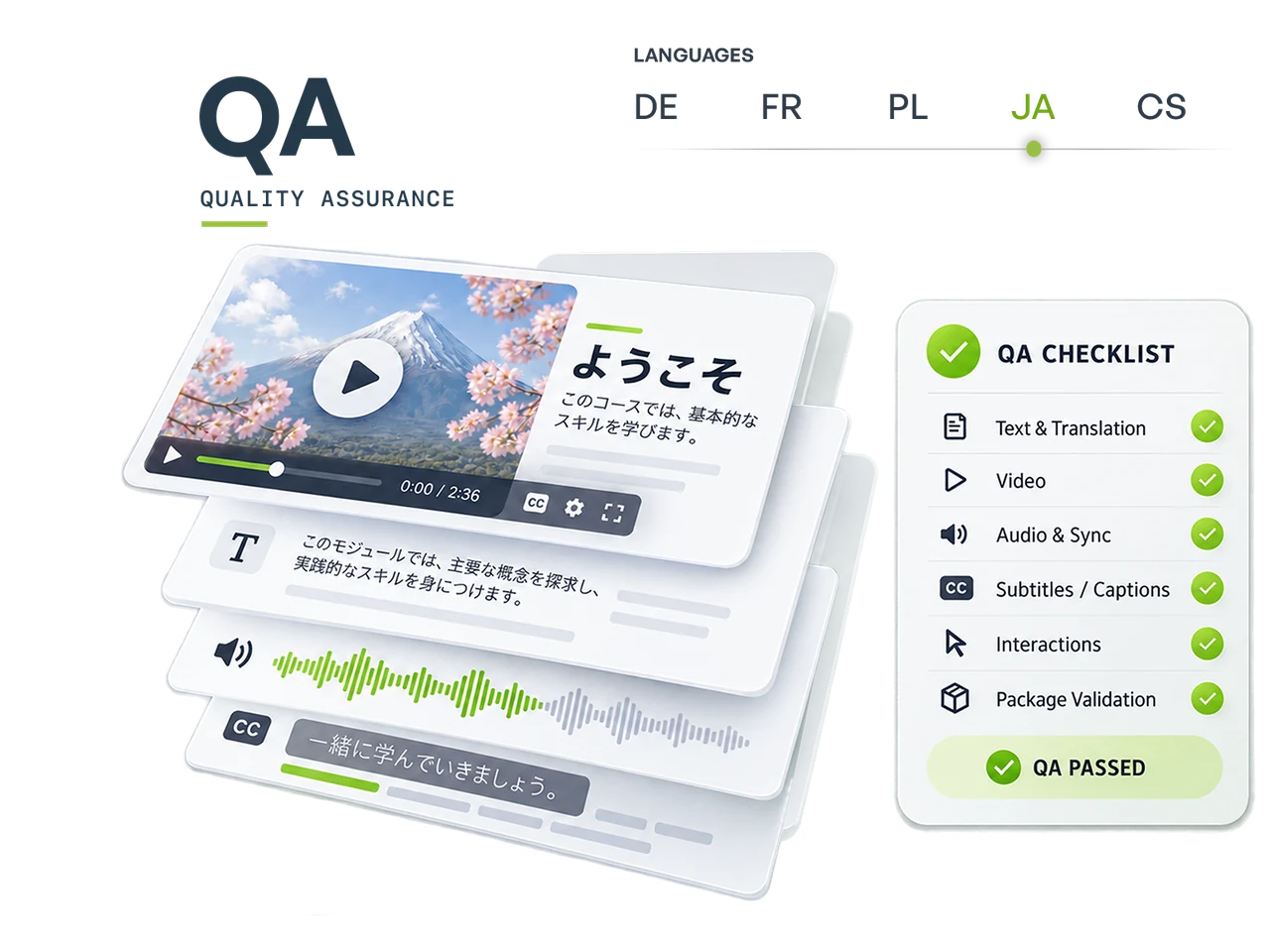
Scope of support / Production QA
We adapt localization QA to the content type and delivery method. Production checks do not replace linguistic approval; content queries are referred to your team or SME.
We check overset text, line breaks, fonts, tables, captions and page completeness. We compare layouts against the source and verify PDF exports and agreed publication requirements.
We verify that all specified text has been localized and graphics remain readable. We check element placement, contrast, margins and style consistency across language versions.
We check timing, line lengths, display duration, reading speed and segment completeness. We assess subtitles alongside visuals and audio using the project’s validation profile.
We check for omissions, repetitions, audio artifacts and alignment with the agreed material. We review editing, synchronization and language and version labels; pronunciation queries are submitted for approval.
We test navigation, buttons, layers, interactions, quizzes and course flow. For LMS packages, we check agreed launch, progress tracking and reporting scenarios in the available test environment.
We document issues with page or slide numbers, video timestamps or reproduction steps. We agree priorities and correction status; after changes, we check both the reported issue and related elements.
We check Chinese, Japanese and Korean typesetting: font character coverage, punctuation, spacing and line-breaking rules. We verify localized layouts in InDesign and PDF. Linguistic matters are approved by the relevant language reviewer.
For Arabic, Hebrew and other right-to-left languages, we check text and layout direction, number order, punctuation and Latin-script passages. We review character joining and fonts; language decisions are agreed with the client’s team.
How we work together
We adapt the scope to your project. Your team makes linguistic and subject-matter decisions, while KeboDesign handles the agreed production and technical checks.
Hover, focus or click to highlight the selected team’s responsibilities.
You provide the materials, comparison source, guidelines, languages and required tests.
We agree the QA scope, environments, sample or full review, reporting method, cost and deadline.
You share review versions and required access and identify the content approvers.
We build a checklist and material matrix. We check that versions and references are complete and comparable.
You answer subject-matter queries and confirm linguistic decisions.
We perform visual, technical and functional checks and document reproducible issues with their locations.
You approve content decisions and coordinate agreed corrections on your side.
We verify implemented changes. We can also make production corrections where included in scope.
You accept the agreed material status and any outstanding decisions.
We deliver QA results, issue status and a list of completed tests, identifying the reviewed material version.
Reproducible feedback
Good QA feedback identifies the location, version, expected behavior and actual result. Instead of simply saying “it does not work,” we record the slide, button clicked and steps needed to reproduce the problem.
For e-learning, we record slide and interaction feedback in Articulate Review 360. For DTP, we annotate PDFs directly in Adobe Acrobat; for video, we use timestamped comments in Frame.io. Each issue has a location, description and status, making implementation and retesting easier.
Deliverables / Production QA
We agree formats and the final delivery scope in the brief. Your team receives approved deliverables with a clear handover.
Organized feedback linked to a document, scene or slide, enabling the team to identify and implement specific corrections.
Report · location · priorityA record of completed checks and environments, including matters requiring a decision. Results apply to the specified material version.
Checklist · scenarios · versionsVerification of agreed corrections and their impact on related elements. Issue status after retesting.
Retesting · statuses · final notesMaterials for a quote
Questions / Production QA
We check materials visually, technically and functionally. We document language and terminology queries and refer them to the client’s team. Full linguistic proofreading requires a separate, agreed scope.
Yes. We can review a sample or all the material. We document the scope and sampling method so the results are clear.
We check the course visually and functionally and collect slide and interaction feedback in Articulate Review 360. Separately, we test the package in the target LMS: launch, completion, quiz scores and resume behavior. This stage requires LMS or test-environment access. For DTP materials, we annotate PDF corrections in Adobe Acrobat.
For DTP, we provide PDFs with Adobe Acrobat comments and annotations. For e-learning, we work in Review 360; for video, in Frame.io. Where needed, we add a consolidated spreadsheet with issue locations, priorities, correction status and retest results.
Yes, if suitable source files are available and production corrections are included in scope. Content changes require approval from your team.
Yes. Retesting confirms that agreed feedback has been implemented and checks the effects of changes. We quote it according to the number of versions and scope of revised elements.
Contact / Production QA
Send a sample or a link to your materials. We will define requirements, delivery formats and the information needed for a quote.
Go to the contact page ↗